Industry solutions / Manufacturing

Custom Manufacturing Software for Job Cards and Material Planning

Bring work orders, material requirements and shop-floor updates into a shared workflow without assuming every factory needs a complete ERP replacement.

  • Plan work orders and job-card responsibilities in one place
  • Compare planned material requirements with actual usage
  • Surface production exceptions before they delay the next step

Concept diagram · Not a client system screenshot

Common operating bottlenecks

Two challenges worth solving first

Explore how a targeted solution could reduce friction in everyday operations.

01Production visibility

Teams cannot see which work orders need attention

Work orders move between departments with updates recorded in separate registers or messages.

HOW WE APPROACH IT

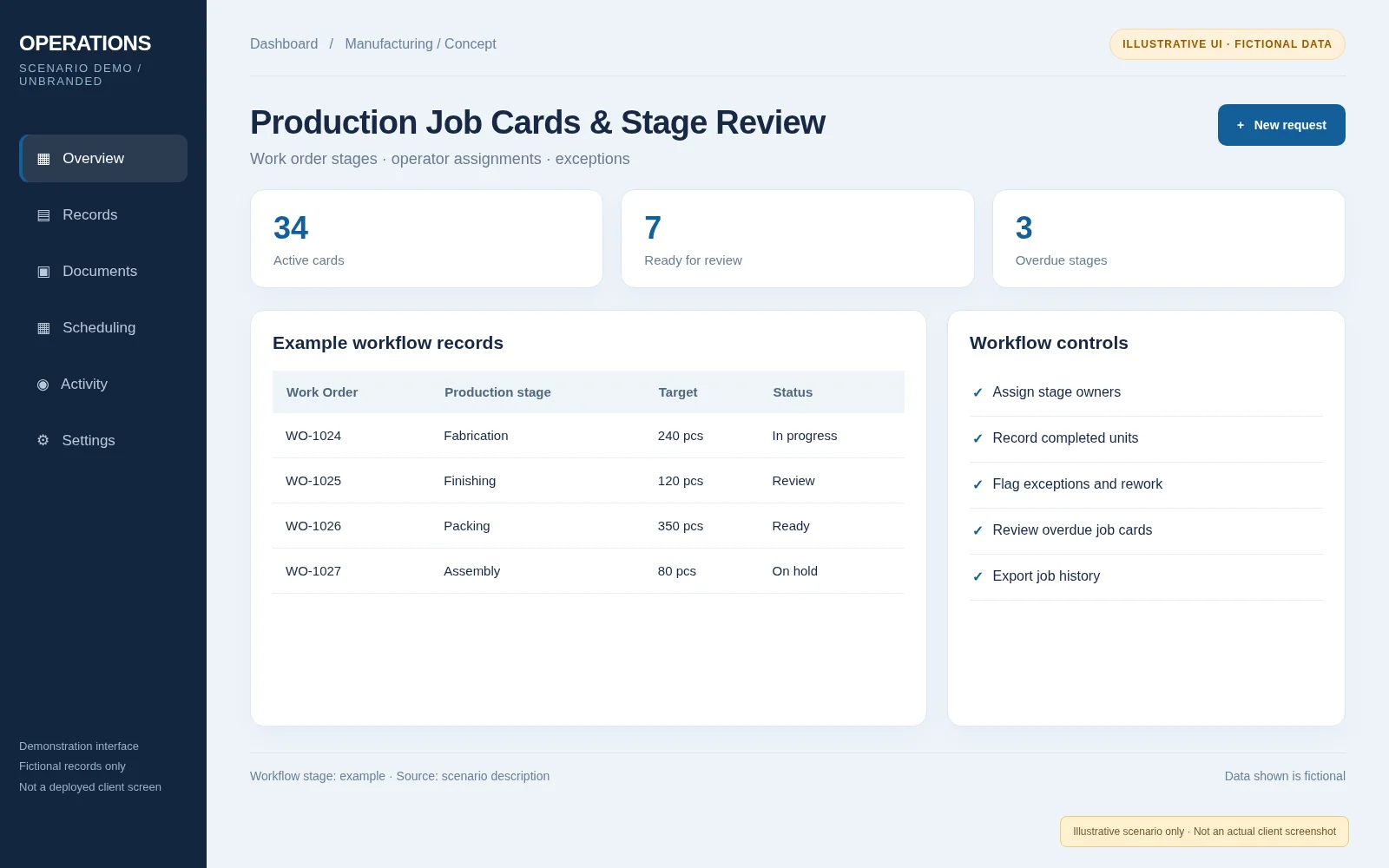
Design work-order states, job cards and role-based progress updates so everyone sees the same current stage.

  • Job cards and stage ownership
  • Planned versus completed quantities
  • Exception and rework status
Discuss this problem
02Materials and shortages

Production starts without a clear material picture

Demand, available stock and purchase requirements may be tracked separately, allowing avoidable production interruptions.

HOW WE APPROACH IT

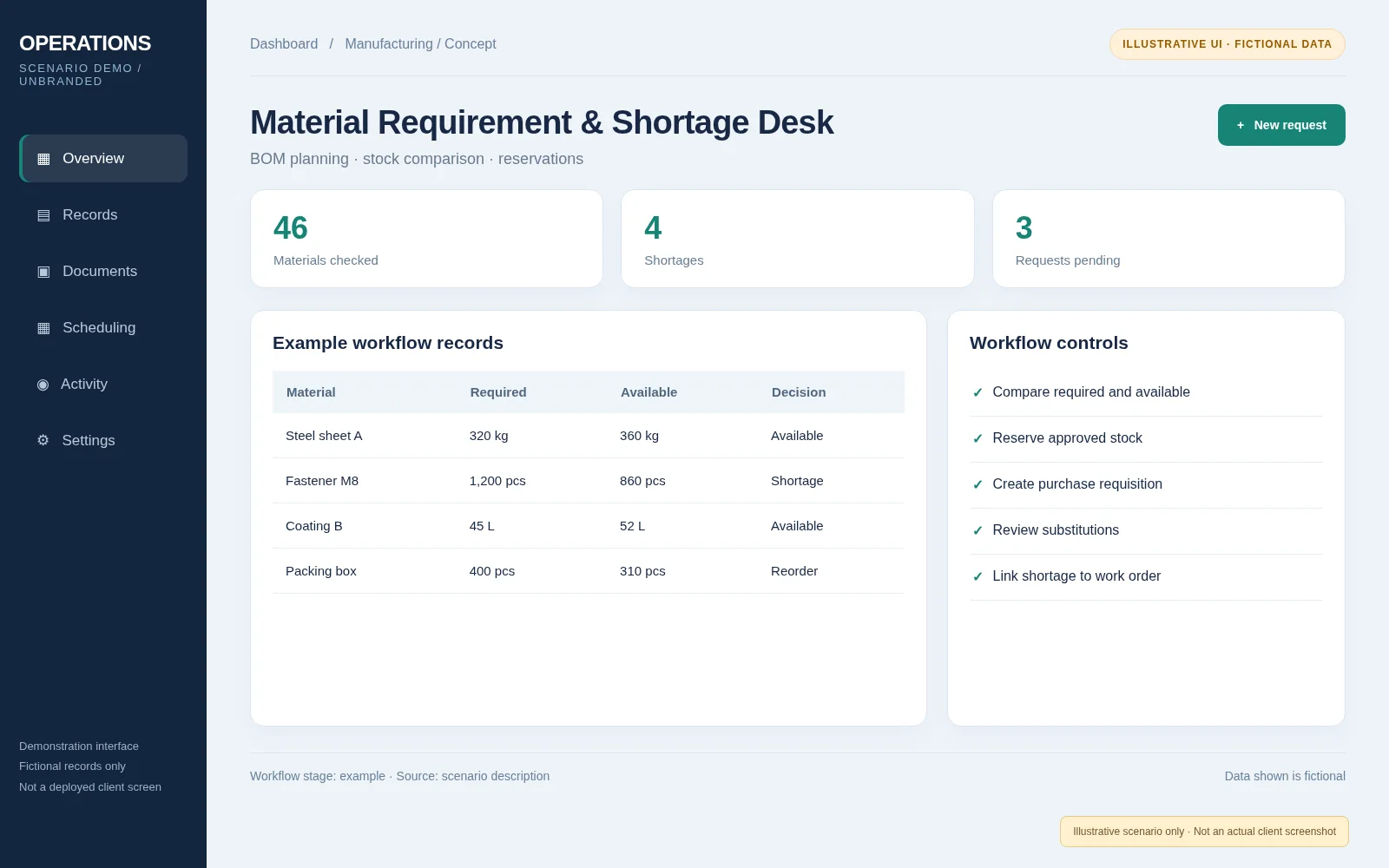
Model bill-of-material requirements, reservations and shortage checks connected to each work order.

  • Planned material consumption
  • Shortage and substitution review
  • Purchase requisition handoff
Discuss this problem
Custom software possibilities

Practical features to fit your business

These are design capabilities, not claims of completed client deployments.

Work-order planning

Track job-card ownership, production stages and pending actions.

Material requirements

Link work-order requirements to stock and shortage decisions.

Quality and exception records

Capture review, rejection and rework states in the workflow.

Operational reporting

Show overdue work, capacity indicators and material exceptions.

Illustrative solution scenario / Not a client delivery

Work Orders, Job Cards and Material Shortage Planning

A detailed proposed workflow based on common manufacturing operational scenarios. The examples use fictional data and do not claim a completed client project.

Illustrative workflow
THE CHALLENGE

Make work status and material readiness visible without replacing every existing process.

TECHNICAL APPROACH

Define responsibilities and state transitions, connect existing records, handle exceptions and validate usability before extending the scope.

SOLUTION AREAS
  • Customer order, work order, job cards and stage transitions
  • Item master, material requirement, reservation and shortage comparison
  • Planner, production supervisor, store team and reviewer
  • API import/export with existing ERP or stock systems
Outcome & Business Impact
  • Clearer job progressDefined work-order states make handoffs and outstanding tasks easier to see.
  • Material readiness checksLinking work demand with stock data can expose shortages before a stage begins.
  • Less manual status chasingA shared workflow reduces dependence on separate updates and follow-up messages.
View all business benefits

Inside the workflow

Explore visuals related to the described workflow.

Production Job Cards & Stage Review; fictional records; not real client software
Representative interface · illustrative (not actual client UI)Production Job Cards & Stage ReviewRepresentative manufacturing workflow UI with invented records. Not an actual client application screenshot.
Material Requirement & Shortage Desk; fictional records; not real client software
Representative interface · illustrative (not actual client UI)Material Requirement & Shortage DeskRepresentative manufacturing workflow UI with invented records. Not an actual client application screenshot.
Detailed project walkthrough

Explore the business context, two operational challenges and the source-labeled workflow visuals.

View Solution Scenario
Our delivery approach

Assess, design, validate and support

01

Map your current process

Review current tools, staff roles, data and exception cases.

02

Agree the MVP scope

Choose measurable workflow improvements and confirm the data model.

03

Build and validate

Implement defined stages and test realistic sample cases with users.

04

Plan the next iteration

Document integrations, training and ongoing support requirements.

Common questions

Frequently asked questions

Can this work alongside our existing ERP?

Yes. A targeted production module can exchange approved job or inventory data with an existing ERP through suitable APIs or controlled imports.

Will every machine require an integration?

No. Many teams begin with operator-entered updates and introduce machine connectivity only when the data and business case justify it.

Can the software calculate material shortages?

A planning workflow can compare material requirements with recorded on-hand and reserved stock, provided item and stock data are reliable.

LET'S DISCUSS YOUR PROJECT

What is your most costly workflow bottleneck?

Explain your current systems and the specific issue. We can evaluate the design and integration options.